Jigsaw Puzzles for Kids🧩Jigsaw Puzzle
Piece the picture back together.
About Jigsaw Puzzle
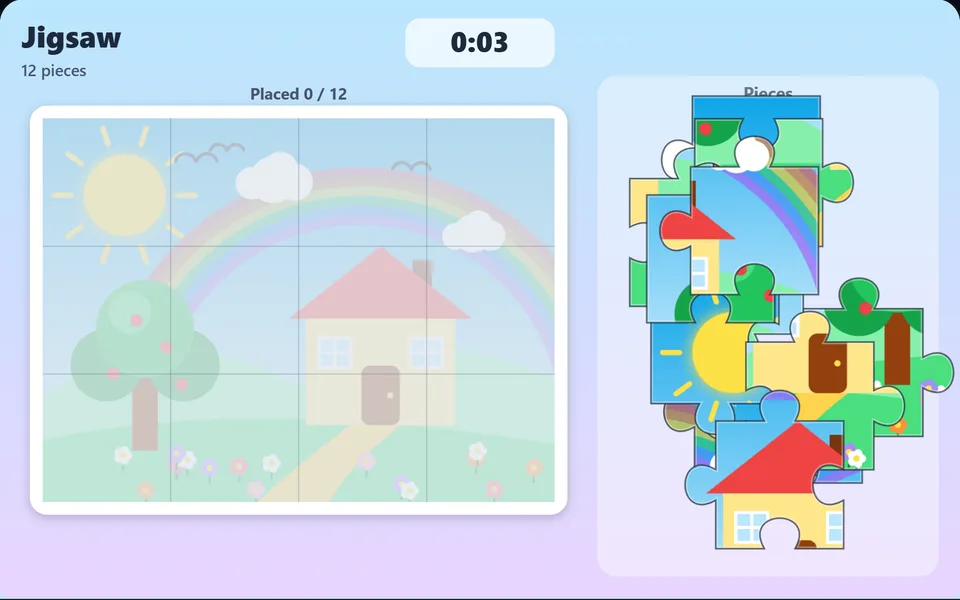
A colourful countryside scene cut into jigsaw pieces. Drag pieces into place; they snap when close. Choose 12, 24 or 48 pieces. Completed puzzles light up.
Controls
- ▸Drag pieces onto the board; they snap into place
- ▸P or Esc to pause
- Difficulty
- ★★★★★
- Session
- ~6 min
- Plays
- 0
- Time played
- 0 min
How to play Jigsaw Puzzle
Choose 12, 24 or 48 pieces (Easy, Medium or Hard). The pieces are scattered in a tray on the right, and a faint copy of the finished picture sits on the board with grid lines showing where each piece belongs. Drag a piece onto the board; when it's close to its correct spot it snaps in and locks.
The picture is a bright countryside scene with a red-roofed house, an apple tree, a rainbow, clouds, birds and flowers. A timer counts up while you play, and your score is the time it takes to place every piece, so faster is better. When the last piece clicks in, the board glows gold.
Tips
- ▸Start with the edges: border pieces have one or two flat sides, so they're easy to pick out of the tray.
- ▸Use the faint picture as a guide. Match the colours on a piece, like blue sky or the red roof, to the same spot underneath.
- ▸Pieces only snap when they're very close to their own square, so if one won't lock, it belongs somewhere else.
- ▸Begin with 12 or 24 pieces. The 48-piece puzzle has much smaller pieces and is easiest on a bigger screen.
Jigsaw Puzzle FAQ
- How many pieces can I choose?
- 12 pieces (Easy, a 4×3 grid), 24 (Medium, 6×4) or 48 (Hard, 8×6). On the menu you can also press 1, 2 or 3, and the Change pieces button lets you switch before you start.
- Do I have to rotate the pieces?
- No. Every piece is already the right way up, so you only need to find where it goes.
- Is it suitable for young children?
- Yes. The picture is simple and colourful, pieces snap into place, and there's no way to lose. The timer only matters if you want to beat your best time.